 bunmaska
Build an app before you finish your Bunmaska & chai.
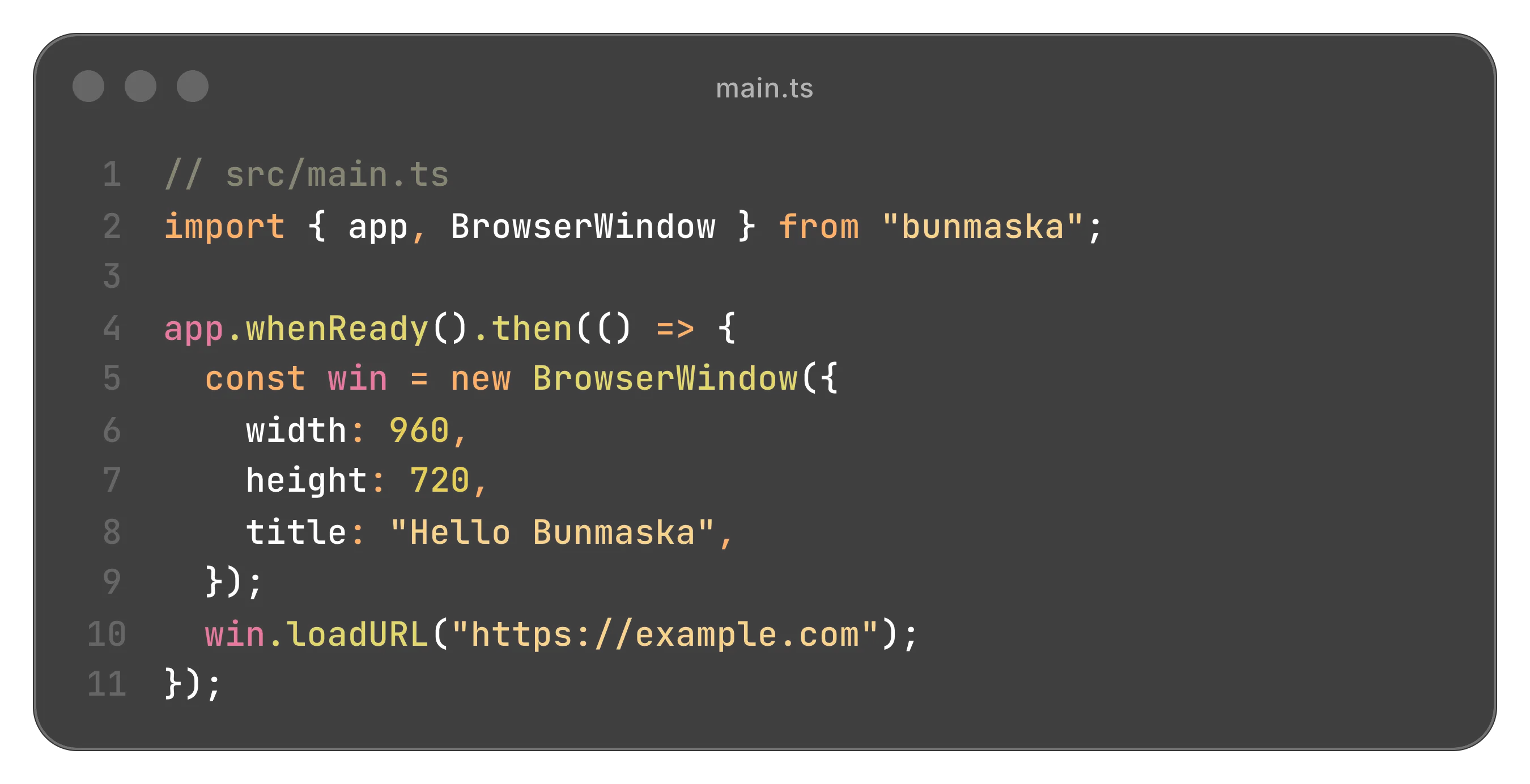
From zero to a window in about 90 seconds.
Bundle size
~16MB
The whole app, not a browser you re-ship with it. Downloads in seconds; updates are a fraction of the size.
Runs on Bun
Boots in milliseconds, runs TypeScript natively - no transpile step - and JavaScriptCore keeps memory lean. The Node APIs you know, a much faster runtime underneath.
Native code, no build
Call the OS from a .ts file. No node-gyp, no
electron-rebuild, no toolchain that breaks on someone else's machine.
WebKit, on your terms
System WebKit by default - that's the tiny download. Pin an exact, signed build from the engine store when byte-for-byte consistency matters. Never Chromium.
Zero runtime deps
No runtime dependencies, no compiled native code, no postinstall scripts. Your SBOM is “Bun + your code.”
Familiar developer experience
Electron-style APIs.
Native implementation.
The same app, BrowserWindow and
ipcMain you already write - the heavy parts swapped
underneath, not the API you migrate to.
3
Platforms
Windows · macOS · Linux
The whole thing
~16-23 MB. Yes, all of it.
Electron asks for 150 MB+ before it's done anything. Bunmaska is the download you won't notice and the app you can't hear running.
Same app. One bundles a whole browser; the other just doesn't.
That's macOS and Linux, which render on the WebKit already on the machine - nothing to bundle. Windows has no system WebKit, so it ships a from-source WinCairo engine (heavier, and shared across apps via the engine store).
The part worth paying attention to
A native module is just a .ts file
It dlopens the OS and gets on with its life. No
node-gyp. No N-API. No
electron-rebuild. No 40-minute compile that fails on the
one machine that matters.
Nothing to rebuild, because there was never anything to build.
// pid.ts - a native module. No build step. No bindings.gyp. Just Bun.
import { dlopen, FFIType } from "bun:ffi";

const libc = process.platform === "darwin" ? "libSystem.B.dylib" : "libc.so.6";
const { symbols } = dlopen(libc, {
  getpid: { args: [], returns: FFIType.i32 },
});

export const pid = () => symbols.getpid();
The Electron equivalent starts with npm install node-gyp
and a compiler. This doesn't.
Pin the WebKit you actually tested.
By default, apps render on the WebKit already on the machine - that's what keeps them small. When byte-for-byte consistency matters, pin a specific build instead.
import { defineConfig } from "bunmaska/config";

export default defineConfig({
  // Pin the exact WebKit you tested. Shared across apps. No global switch.
  engine: { webkit: "webkitgtk-6.0-2.52.4-bunmaska1-linux-x64" },
});- Engine resolution
- Resolved from a shared store - downloaded once, used by every app that pins it.
- Per-app versioning
- Different apps can pin different versions side by side. No global switch.
- Availability
- Signed installs are built in today. The feed is live with a Windows engine; hosted Linux and stable-train builds are next.
Three platforms, no chromium on any of them.
All three ship today - each driving WebKit in pure
bun:ffi. macOS and Linux use the system engine; Windows
builds its own WinCairo (it ships no WebKit) - never Chromium. It's alpha,
and a few APIs differ per platform - we publish exactly which on the
parity page.
macOS
Apple Silicon (ARM64) · Intel (x64)
AppKit + WKWebView via objc_msgSend
Linux
x64 · ARM64 - incl. Raspberry Pi
GTK 4 + WebKitGTK 6 (where WebKitGTK is available)
Windows
x64 today · ARM64 on the roadmap
WinCairo WebKit, built from source. One hosted engine on the feed; stable-train and ARM64 next.
The Windows stable-train engine, Windows ARM64, and the last few per-platform gaps are tracked on the roadmap.
Bunmaska vs Electron
Same shape. a tenth of the weight.
Same APIs you already write, swapping the two heaviest parts underneath - the browser engine and the runtime.
Electron still wins on the things a decade buys - Windows-on-ARM, the last ~20% of the API, per-window crash isolation, and a vast ecosystem. We leave those rows in; the full honest breakdown is on the comparison page.
Developer Experience
Three commands. No compiler.
Create, run and package a native desktop application using the same tools you already use every day.
import { app, BrowserWindow } from "bunmaska";

app.whenReady().then(() => {
  const win = new BrowserWindow({ width: 960, height: 720 });
  win.loadURL("https://example.com");
});One command
The whole loop is bunmaska.
Scaffold, develop, package, and manage engines - one CLI, pure Bun, no Xcode project and no electron-builder. It never ships inside your app.
# scaffold · develop · ship
bunmaska init my-app     # starter: main + preload + renderer + config
bunmaska dev             # run with hot reload
bunmaska build           # standalone .app / .deb / .exe
bunmaska build --update  # + update.json + .tar.zst, a .sig each

# engine management
bunmaska engine list     # installed engines, side by side
bunmaska engine which    # engine this project resolves to
bunmaska engine install  # id, local dir, or signed URL

# sanity check
bunmaska doctor          # runtime, store, and resolved engine
Most days you live in init > dev > build. The rest is there the day you need it. Full reference in the CLI docs.
Trade-offs
It's alpha. We're not going to pretend otherwise.
Things will move. Some things will break. We'll tell you which ones. If it's still 2027 and this still says alpha, open an issue titled "are you OK."
Windows?
In beta (x64) - on a from-source WinCairo WebKit build (never Chromium), green on CI alongside macOS and Linux. A few APIs are engine-blocked there (custom protocols, printToPDF, capturePage); a hosted WinCairo engine is on the feed, and the stable-train build and ARM64 are still on the roadmap. The parity matrix is honest about every cell.
Production-ready?
It says alpha for a reason. Use it for the thing you were going to rewrite anyway.
Why no Chromium?
Because it's already on your computer, and shipping a second one is how we got here.
What's the catch?
~70-80% of Electron's surface, and we publish the parity matrix so you can check before you commit.
Ship fast. Break carefully. Fix publicly.
Same APIs. Hold the Chromium.
Try it in a weekend. Hate it by Monday, or don't.